Paint vibe Mouse Cursor
13 subscribers on the Steam Workshop
Get Mouse X on Steam (Free Demo)
$2.99 once · every Workshop skin included · Windows 10 & 11
View this skin on the Steam Workshop →
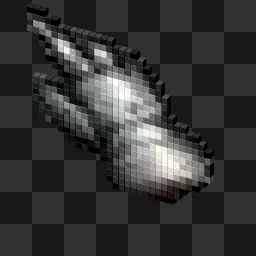
This one looks like it came straight out of an old pixel editor, a chunky dark arrow with a small paintbrush drawn in blocky pixels beside it. The dark palette keeps it easy on the eyes if your desktop runs dark mode. Made by Ega Games, it replaces your pointer everywhere on Windows once you load it through Mouse X on Steam. If you spend time in retro art tools or just like pixel aesthetics, it fits nicely.
How to get it
- Install Mouse X from Steam. The free demo works too.
- Subscribe to this skin on its Workshop page, or find “Paint vibe” in the in-app browser.
- Select it in Mouse X and your Windows cursor changes instantly. No hooks, no injection.

Skin details
- Creator
- Ega Games
- Type
- Static cursor skin
- Source format
- Image
- Published
- Jun 14, 2026
- Last updated
- Jun 14, 2026
- Download size
- 37 KB
- Subscribers
- 13 on the Steam Workshop
- Categories
- Pixel Art cursors, Minimalist cursors, Dark Theme cursors
More cursors like this Browse all →







Frequently asked questions
How do I install the Paint vibe cursor?
Install Mouse X from Steam, then subscribe to the skin on its Workshop page (or inside the app). Mouse X downloads it and you can apply it with one click. No .cur files, no Control Panel digging.
Does it work on Windows 11?
Yes. Mouse X supports Windows 10 and 11, uses very little memory and CPU, and doesn’t hook or inject into games or other apps, so it runs quietly alongside everything else.
Is this cursor free?
The skin itself is free, like everything on the Mouse X Workshop. Mouse X is $2.99 on Steam, and the free demo lets you try custom cursors before buying.
This cursor skin was created and shared by a member of the Mouse X community on the Steam Workshop. Artwork belongs to its creator; any referenced characters, names or trademarks belong to their respective owners. To report a skin, use the report tools on its Steam Workshop page.