NEW!

Scope X
Scope in. Miss nothing.
Instantly magnify any part of your screen to reveal critical details in any game.
1 subscriber on the Steam Workshop
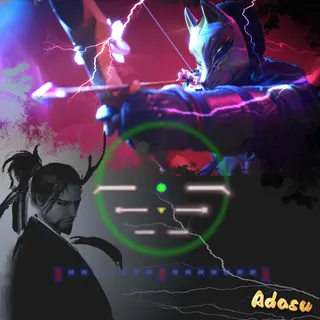
Instead of lines and dots, chill puts a tiny pixel art night scene at the center of your screen, with a glowing campfire, dark trees, and a crescent moon overhead. There is no center dot or outline, so treat it as a cozy marker rather than a precision tool. It fits relaxed Minecraft sessions or casual builds where exact aim barely matters. Load it through Crosshair X on Steam and it overlays on top of any PC game.

Install Crosshair X from Steam, subscribe to this design on its Workshop page (or inside the app), then select it. Crosshair X draws it at the center of your screen over any game.
Crosshair X is an Xbox Game Bar overlay that runs outside the game process: no hooks, no injection, no game-file changes. It has been in use across Vanguard, VAC, EAC and BattlEye titles for years with no ban reports we know of. Full breakdown: Is Crosshair X safe?.
The crosshair itself is included, like everything on the Crosshair X Workshop. Crosshair X is $3.99 on Steam, and the Microsoft Store version has a free trial so you can test it first.
This crosshair was created and shared by a member of the Crosshair X community on the Steam Workshop. The design belongs to its creator; any referenced games, players, teams or trademarks belong to their respective owners. To report a design, use the report tools on its Steam Workshop page.